
1. Introduction to VPN Services
The internet has become an essential part of our everyday lives. We use it to communicate with friends, attend online classes, manage bank accounts, shop, watch movies, run businesses, and access important information. However, as our dependence on the internet increases, so do the risks associated with online activities. Cybercriminals, malicious websites, data trackers, and unsecured public Wi-Fi networks can expose personal information and create serious privacy problems. Have you ever wondered who can see your internet activity when you connect to a public Wi-Fi network at an airport, hotel, restaurant, or shopping center? This is where Virtual Private Network (VPN) services become useful.
A VPN creates an encrypted connection between your device and a VPN server, helping protect your internet traffic from certain forms of monitoring. It can also hide your original IP address from websites and make your internet connection appear to originate from another location. Whether you are a student researching online, a teacher accessing educational resources, a business professional handling confidential information, or an ordinary internet user, a reliable VPN can provide an additional layer of privacy and security. However, not every VPN offers the same level of protection, speed, transparency, or value. Choosing a trustworthy provider is therefore extremely important.
In this comprehensive guide, we explore the best VPN services in 2026, comparing their security features, privacy policies, performance, usability, and suitability for different users. We will also discuss free and paid VPN options, important features to consider, and practical steps for choosing and using a VPN safely. Our goal is to help you make an informed decision rather than simply choose a service because of an attractive advertisement.
2. What Is a VPN and How Does It Work?
A Virtual Private Network (VPN) is a technology that establishes a protected connection between your device and a remote server operated by a VPN provider. When you connect to a VPN, your internet traffic travels through an encrypted tunnel before reaching its destination. This makes it more difficult for people monitoring the local network to read your internet traffic. At the same time, websites generally see the IP address of the VPN server instead of your original public IP address. Think of a VPN as a secure delivery vehicle: instead of sending your information through an exposed road, it travels inside a protected container.
Without a VPN, your internet service provider can generally see information about your internet connections, such as the IP addresses you communicate with and connection metadata, although HTTPS encrypts the content of most modern website sessions. When you use a VPN, your internet provider typically sees an encrypted connection to the VPN server rather than the individual destinations of your traffic. The VPN provider, however, becomes an important intermediary, which means you must choose a company that has trustworthy privacy practices. A VPN does not make you completely anonymous, and it cannot prevent every form of online tracking.
How a VPN Protects Your Internet Connection
VPN technology uses encryption protocols to protect data while it travels between your device and the VPN server. Popular modern protocols include WireGuard, OpenVPN, and proprietary protocols such as NordLynx and Lightway. These protocols differ in implementation, performance, and security characteristics, but reputable providers maintain them to offer a balance between speed and protection. A properly configured VPN can also use DNS leak protection and a kill switch to reduce the chance of exposing your original connection details if the VPN disconnects unexpectedly.
For example, imagine that you are working on an important document using public Wi-Fi at a hotel. If you connect through a reputable VPN, your device establishes an encrypted tunnel before sending internet traffic through the VPN server. This reduces the ability of other users on that local network to inspect your traffic. The VPN also changes the public IP address websites see, depending on the configuration. Remember that HTTPS remains important, and you should continue using secure websites, strong passwords, and multifactor authentication even when your VPN is active.
3. Why Do You Need a VPN in 2026?
Online privacy has become increasingly important because people now share more information through digital platforms than ever before. Social media accounts, online shopping websites, educational portals, cloud storage, and banking applications all involve personal or financial information. Although many services use security technologies to protect their customers, users still face risks from insecure networks, phishing attacks, tracking, and compromised accounts. A VPN can help protect the network connection, particularly when using unfamiliar Wi-Fi networks, and reduce the exposure of your public IP address.
Another important reason to consider a VPN is the increasing use of remote work and online education. Employees frequently access company systems from home, while students connect to digital learning platforms using personal devices. In these situations, a VPN can add privacy to internet connections and may help users access approved organizational resources securely. Businesses may also provide their employees with dedicated corporate VPN connections to reach internal applications. However, a consumer VPN subscription is not automatically a replacement for an organization’s professionally managed remote-access security system.
Protecting Personal Information
Personal information is valuable. Your email address, browsing habits, location-related information, login credentials, and financial details can be useful to advertisers and cybercriminals. A VPN helps protect some information by encrypting traffic between your device and the VPN server. This is especially useful when connecting to networks that you do not control. It can also prevent your local internet provider from directly seeing the destination information of your internet connections in the same way it could without a VPN.
Consider a student researching a project from a public library. The student may need to visit educational websites, download study materials, and communicate with teachers. A VPN can add an extra layer of protection while using the library’s Wi-Fi. Similarly, a business professional traveling internationally may use a VPN to protect traffic while accessing work-related websites. Nevertheless, a VPN cannot prevent someone from stealing a password through a fake login page or accessing an account after the user shares their credentials. Good digital habits must always accompany VPN protection.
4. Important Features to Look for in a VPN
Choosing the right VPN requires more than checking the number of servers or looking for the lowest subscription price. A reliable service should provide strong encryption, modern VPN protocols, a clear privacy policy, dependable applications, and transparent information about its security practices. Before purchasing a subscription, consider what you actually need. Someone who mainly wants protection on public Wi-Fi may prioritize automatic connection and a kill switch, while a frequent traveler may need a large server network and reliable connections in different countries.
Here are some important features worth examining:
1. Strong encryption: A reputable VPN should use modern, well-maintained cryptographic standards to protect data transmitted through its network.
2. No-logs policy: The provider should clearly explain what information it collects, why it collects it, and how long it retains it. Look for independent verification rather than relying only on advertising claims.
3. Kill switch: This feature blocks internet traffic if the VPN connection unexpectedly drops, helping prevent accidental exposure of your normal IP address.
4. DNS leak protection: It helps ensure that DNS requests are handled through the protected connection rather than unintentionally revealing information to your regular internet provider.
5. Fast connection speeds: A good VPN should provide sufficient performance for video calls, online classes, streaming, downloads, and ordinary browsing.
6. Multiple server locations: A wide network can provide more connection choices and help users find servers closer to their physical location.
7. Device compatibility: Check whether the service supports Windows, macOS, Android, iOS, Linux, and other devices you regularly use.
8. Independent security audits: External audits can provide additional evidence about a provider’s applications, infrastructure, and privacy claims.
9. Customer support: Reliable technical assistance is useful when you experience installation problems, connection failures, or billing issues.
10. Transparent pricing: Check the renewal price, subscription duration, refund conditions, and simultaneous device limits before paying.
Independent VPN testing published in 2026 emphasizes privacy policies, security audits, connection speed, usability, and performance as important evaluation factors.
Tom’s Guide+1
5. Best VPN Services in 2026
There are many VPN providers available, but choosing the right one can be confusing. Some focus on speed, others prioritize privacy, and some offer affordable subscriptions for families and users with multiple devices. To make your decision easier, let’s examine seven popular VPN services and understand what makes each one different.
The following comparison considers publicly available product information and independent reviews available in November 2026. These are recommendations for different needs, not a claim that one provider is best for every user
5.1 NordVPN – Best Overall VPN Service
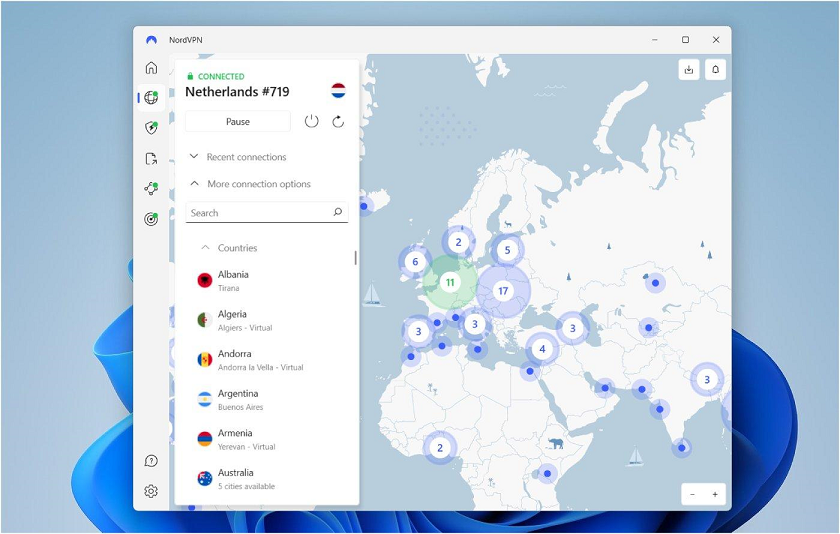
NordVPN is one of the most recognized VPN providers. It is a strong option for people who want a combination of connection speed, security features, streaming support, and ease of use. Its applications are designed for beginners as well as experienced users, and its server network offers connections in many countries. NordVPN uses its NordLynx protocol, which is based on WireGuard technology and is designed to provide fast and secure connections.
One of its major advantages is its collection of additional security features. Depending on the subscription and platform, users can access features such as Threat Protection, Double VPN, specialized servers, and a kill switch. Threat Protection can help block certain malicious websites and trackers, although it should not be treated as a complete antivirus solution. NordVPN has also undergone independent no-logs assessments, providing additional evidence for its privacy claims. Independent testing published in 2026 has ranked it among the leading services for download performance and overall security.
Security.org+1
Key features:
- NordLynx and OpenVPN protocols.
- Large international server network.
- Kill switch and DNS leak protection.
- Double VPN on supported configurations.
- Threat Protection features.
- Applications for major operating systems.
- Independent privacy assessments.
Best for: General users, professionals, frequent travelers, and people who want a balanced VPN for everyday internet use.
Official website: https://nordvpn.com/
5.2 ExpressVPN – Best VPN for Beginners
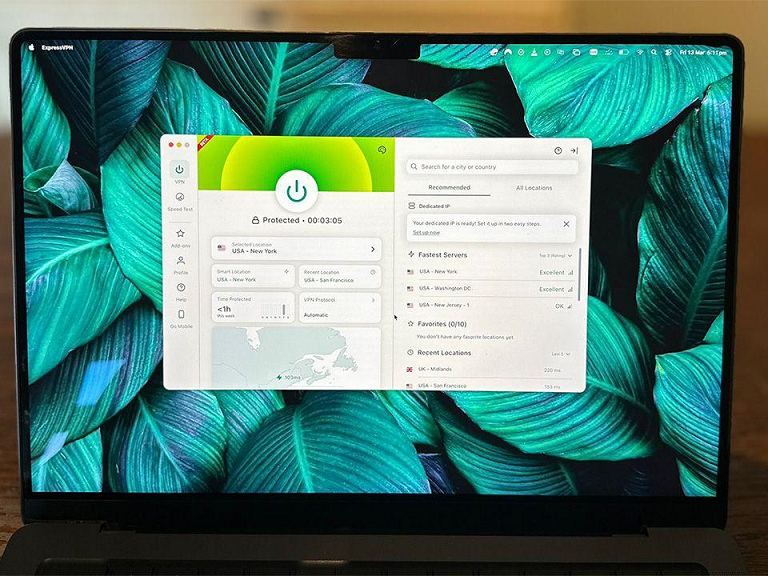 ExpressVPN is another popular option, particularly for users who want a simple and straightforward experience. Its applications have a clean interface that makes connecting to a VPN server relatively easy. Even people who have never used a VPN can usually understand how to select a location and activate their protected connection. This simplicity makes ExpressVPN attractive to students, teachers, office workers, and travelers who do not want to spend time configuring complicated network settings.
ExpressVPN uses its proprietary Lightway protocol, which is designed for speed, security, and reliable connections when switching between networks. It also supports other established protocols depending on the application. The provider emphasizes its TrustedServer technology, which is designed around running servers using volatile memory rather than traditional persistent storage. Its privacy and security practices have been examined through multiple independent assessments. These features make it an interesting choice for people who prioritize convenience without ignoring security.
Key features:
- Easy-to-use applications.
- Lightway VPN protocol.
- TrustedServer technology.
- Kill switch on supported platforms.
- DNS leak protection.
- International server locations.
- Independent security assessments.
Best for: Beginners, frequent travelers, and users who prefer simple VPN applications.
Official website: https://www.expressvpn.com/
Comparison of the Best VPN Services
The following table summarizes the major differences between these providers.
VPN Service | Best For | Main Strength | Free Plan |
|---|---|---|---|
NordVPN | Overall protection | Speed and security features | No |
ExpressVPN | Beginners | Easy-to-use applications | No |
Surfshark | Multiple devices | Unlimited simultaneous connections | No |
Proton VPN | Privacy | Open-source apps and free plan | Yes |
Private Internet Access | Advanced users | Customization and configuration | No |
CyberGhost | Streaming | Specialized servers | No |
Mullvad | Privacy enthusiasts | Minimal account information | No |
Note: Features, device limits, and subscription terms can change. Check the provider’s official website before purchasing.
6. Free VPN vs. Paid VPN Services
One of the most common questions people ask when choosing a VPN is whether they should use a free service or purchase a paid subscription. Both options have advantages and disadvantages, and the right choice depends on your internet usage and privacy requirements. Free VPNs can be useful for occasional browsing, learning about VPN technology, or protecting a limited number of internet activities. However, they may offer fewer server locations, lower connection speeds, limited data allowances, and fewer advanced features. Some free providers may also collect information about users or rely on advertising to generate revenue, making it important to examine their privacy policies carefully.
Paid VPN services generally provide more features and resources. Depending on the provider, a paid subscription may include a larger server network, faster connections, better customer support, advanced security features, and more simultaneous connections. Paid services may also invest more resources in maintaining their applications and server infrastructure. However, paying for a VPN does not automatically make it trustworthy. You should still investigate the company’s ownership, privacy policy, independent audits, security history, and subscription conditions before providing payment information.
Free VPN vs. Paid VPN Comparison
Feature | Free VPN | Paid VPN |
|---|---|---|
Subscription cost | Free | Monthly or yearly fee |
Server locations | Often limited | Usually more choices |
Data allowance | May be limited | Often unlimited |
Connection speed | May be restricted | Generally better |
Customer support | Often limited | Usually better |
Advanced features | Limited | More comprehensive |
Streaming support | Inconsistent | Often better |
Privacy transparency | Varies | Varies by provider |
For users who cannot afford a subscription, Proton VPN is worth considering because it offers a free plan from an established privacy-focused provider. However, free and paid plans have different features and server availability. Its official pricing page explains the current subscription options.
Proton VPN
My recommendation: Avoid unknown free VPN applications that promise unlimited internet access without explaining how they earn money. A trustworthy free plan with transparent policies is generally a better starting point than an unfamiliar application that collects unnecessary personal information.
7. How to Choose the Best VPN for Your Needs
Choosing the best VPN service becomes much easier when you understand your priorities. You do not necessarily need the most expensive subscription or the provider with the largest number of servers. Instead, select a service that solves your actual internet security problems. A student who uses public Wi-Fi occasionally may have different requirements from a business owner who accesses confidential information every day. Similarly, someone who watches online movies may prioritize streaming performance, while a privacy researcher may focus on account anonymity and independent security assessments.
Start by identifying how you use the internet. If you frequently connect to public Wi-Fi networks, prioritize automatic protection, a reliable kill switch, and DNS leak prevention. If you work remotely, examine whether your organization requires a specific corporate VPN rather than a commercial consumer service. If you travel frequently, check server locations and connection reliability in the countries you visit. For households with many smartphones and computers, compare simultaneous device limits carefully. Surfshark, for example, is attractive because of its unlimited simultaneous device connections.
Privacy should be one of your most important considerations. Read the provider’s privacy policy instead of simply trusting the words “military-grade encryption” or “zero logs” on its homepage. Look for independent audits that explain what was examined, when the assessment occurred, and whether the full report is available. Also check the provider’s jurisdiction and its approach to responding to lawful information requests. Jurisdiction alone does not determine whether a VPN is trustworthy, but it is part of the overall picture.
Another important factor is pricing. VPN companies frequently advertise promotional subscription rates that apply only to the initial billing period. A service advertised at a low monthly price may require payment for one or two years in advance, and renewal rates may be considerably higher. Compare the total amount payable, renewal price, refund policy, taxes, and supported payment methods. If possible, test the service during its refund period before committing to a longer subscription.
Finally, consider usability. A VPN is useful only when you actually use it correctly. A complicated application may discourage beginners from enabling important security features. Choose a service that works reliably on your devices, provides understandable settings, and offers useful technical support. The best VPN is not necessarily the one with the most impressive advertising; it is the one that provides trustworthy protection while fitting your everyday internet requirements.
8. How to Set Up and Use a VPN
Setting up a VPN is generally straightforward, even for someone without advanced computer knowledge. Most reputable VPN providers offer dedicated applications for Windows, macOS, Android, and iOS. Some also support Linux, routers, smart televisions, and other internet-connected devices. The basic installation process is similar across most platforms, although the exact interface and available features may differ. Before installing anything, make sure you download the application from the provider’s official website or an authorized application store.
Follow these basic steps to start using a VPN:
Step 1: Choose a VPN provider. Research different providers and select one that meets your requirements for privacy, speed, security, and price. For example, you might choose Proton VPN for its free plan or NordVPN for its combination of security and everyday usability.
Step 2: Visit the official website. Open the VPN provider’s official website and select an appropriate subscription plan if you need a paid service. Review the payment conditions and renewal price before completing the purchase.
Step 3: Download the application. Install the official VPN application on your computer or smartphone. Avoid downloading installation files from unknown websites because modified applications may contain harmful software.
Step 4: Sign in or create an account. Follow the provider’s instructions to register or log in. Some providers use traditional email-based accounts, while privacy-focused services may use alternative account systems.
Step 5: Connect to a VPN server. Open the application and select a suitable server location. For normal browsing, choosing a geographically nearby server often provides better speed and lower latency.
Step 6: Enable security settings. Activate the kill switch and DNS leak protection where available. Consider enabling automatic connection when joining unfamiliar Wi-Fi networks.
Step 7: Check your connection. Visit a reputable IP-checking website to confirm that your public IP address changes when the VPN is connected. You can also use a reputable DNS leak testing service to check whether DNS requests are exposed.
Once these steps are completed, you can use your internet connection through the VPN. However, remember that a VPN is only one part of online security. Keep your operating system updated, use antivirus protection where appropriate, enable multifactor authentication, and avoid suspicious downloads.
9. Common VPN Mistakes to Avoid
Although VPN applications are designed to make internet protection easier, users sometimes make mistakes that reduce their effectiveness. One common mistake is assuming that a VPN provides complete anonymity. A VPN can hide your original IP address from websites and encrypt traffic between your device and its server, but it cannot stop every tracking technique. Websites can still recognize you when you sign in to your account, and cookies or browser fingerprinting can continue tracking your activity. A VPN should therefore be viewed as one privacy tool rather than a complete solution to every online security problem.
Another mistake is selecting a VPN only because it is free. Some unknown providers offer attractive advertisements and unlimited connections without explaining their data collection practices. Before installing an application, investigate its developer, privacy policy, permissions, and reputation. Your internet traffic passes through the VPN provider, so selecting an unreliable company may simply transfer your privacy concerns from your internet provider to another organization.
Users also sometimes forget to activate the kill switch. If a VPN connection suddenly drops, your device may return to its normal internet connection. A properly configured kill switch helps prevent this by blocking internet traffic until the protected connection is restored. You should test this feature rather than assuming that it works automatically on every platform.
Choosing a distant server unnecessarily is another frequent mistake. For example, if you are physically located in Nepal and select a server on another continent, your connection may become slower because internet traffic must travel a longer distance. A nearby server is usually a better starting point for everyday browsing, video calls, and online classes. However, server quality and routing also matter, so test different locations when necessary.
Finally, avoid using a VPN as an excuse to ignore basic cybersecurity practices. Do not reuse passwords, open suspicious email attachments, install unknown applications, or share banking credentials through untrusted websites. Use HTTPS websites, keep your devices updated, and enable multifactor authentication whenever possible. A secure internet experience comes from combining reliable technology with responsible online behavior.
10. Conclusion
Choosing the best VPN services for secure internet access in 2026 is an important step toward improving your online privacy and protecting your digital activities. As people increasingly depend on the internet for education, business, communication, banking, and entertainment, having a secure connection has become more valuable than ever. A reliable VPN can encrypt traffic between your device and a VPN server, help protect your information on public Wi-Fi, and hide your original IP address from websites. However, it is important to understand that a VPN does not provide complete anonymity or protect against every cybersecurity threat.
Among the services discussed in this article, NordVPN is a strong all-round choice for people who want a combination of performance and security features. ExpressVPN is suitable for beginners who prefer simple applications, while Surfshark is attractive for households with multiple devices. Proton VPN is worth considering for privacy-conscious users and people looking for a free option. Private Internet Access offers useful customization features, CyberGhost provides convenient streaming-oriented server choices, and Mullvad appeals to users who prioritize minimizing account information.
Before purchasing a VPN, carefully examine its privacy policy, independent audit history, encryption protocols, kill switch, server availability, device compatibility, and subscription renewal conditions. Do not select a provider simply because it advertises the lowest price or claims to offer complete anonymity. A trustworthy VPN should explain its privacy practices clearly and provide evidence to support important security claims.
Ultimately, the right VPN depends on your individual requirements, budget, and internet habits. Take time to compare the available services, test their applications, and select the one that provides a suitable balance of privacy, speed, security, and convenience. Your online security deserves careful attention, and choosing a trustworthy VPN is a practical step toward a safer digital experience.
Frequently Asked Questions (FAQs)
1. What is the best VPN service in 2026?
NordVPN is a strong all-round choice for users looking for a combination of speed, privacy features, security tools, and ease of use. However, Proton VPN may be more suitable for privacy-conscious users, Surfshark for households with multiple devices, and ExpressVPN for beginners. The best choice depends on your requirements and budget.
2. Are free VPN services safe to use?
Some free VPN services are trustworthy, but others may collect unnecessary user information, display advertisements, or provide weak security. Choose a reputable provider with a clear privacy policy and transparent business practices. Proton VPN offers a free plan that is worth considering. Avoid unknown applications that promise unlimited protection without explaining their privacy practices.
3. Can a VPN protect me when using public Wi-Fi?
Yes. A properly configured VPN encrypts traffic between your device and the VPN server, making it more difficult for other users on the same public Wi-Fi network to inspect your internet traffic. However, you should still use HTTPS websites, enable multifactor authentication, and avoid suspicious links and downloads.
4. Does using a VPN reduce internet speed?
A VPN can reduce internet speed because your traffic must travel through an additional server and undergo encryption and decryption. The impact depends on server distance, network congestion, VPN protocol, device performance, and your internet connection. Modern services using protocols such as WireGuard can provide excellent performance, but actual results vary.
5. Can I use one VPN subscription on multiple devices?
Yes, depending on the provider’s simultaneous connection limits. Some VPN services allow a limited number of devices, while Surfshark offers unlimited simultaneous connections under its subscription terms. Before purchasing a plan, check whether it supports all the computers, smartphones, tablets, and other devices you intend to protect.